Choose Configuration

FlexScan TS100

Guided optical/PON troubleshooting platform.

One-Touch PON Troubleshooting
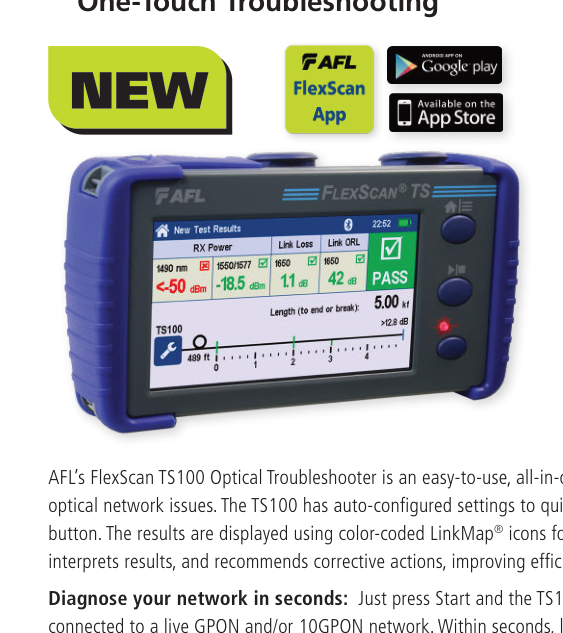
AFL FlexScan TS100 FTTH PON Troubleshooter

FlexScan® TS100

For frontline FTTH/PON technicians who need fast guided troubleshooting with minimal OTDR experience.

<3 sec fault locate
1:64 splitter – TS100-70
LinkMap®
VFL / OLS / OPM
Single-Mode OTDR

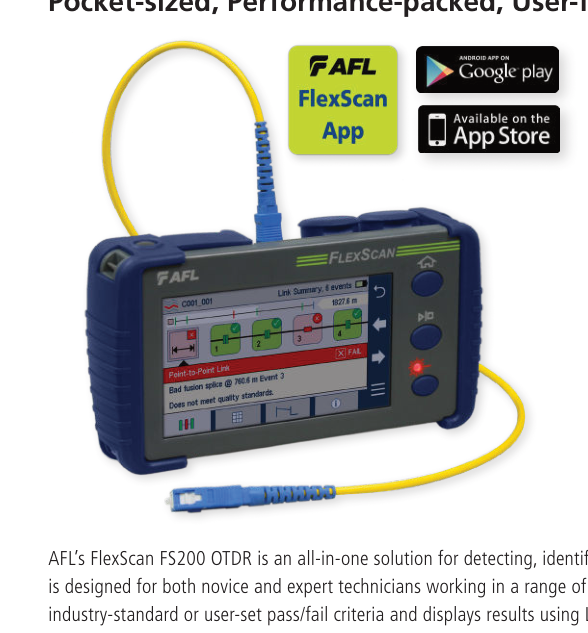
AFL FlexScan FS200 single-mode OTDR

FlexScan® FS200

For single-mode PON and point-to-point verification with full OTDR modes, trace analysis and multi-wavelength options.

Up to 37 dB
<5 sec FleXpress
Up to 1:64 PON
MPO switch control
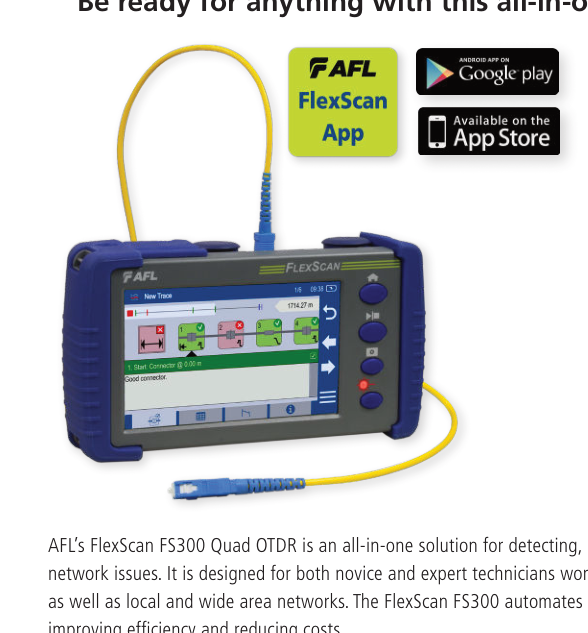
Multimode + Single-Mode Quad OTDR

AFL FlexScan FS300 Quad OTDR

FlexScan® FS300 Quad OTDR

For data centers, enterprise networks and PON teams that need multimode and single-mode OTDR testing in one platform.

850 / 1300 nm MM
1310 / 1550 nm SM
Up to 1:64 PON
LinkMap® + Trace
Requirement TS100 FS200 FS300 Quad
Primary Role Guided optical/PON troubleshooting Full single-mode OTDR Multimode + single-mode Quad OTDR
Best User Fit Frontline field technician Novice to expert SM OTDR user Enterprise/data center + PON technician
Fiber Type Single-mode Single-mode Multimode + single-mode
Wavelengths 1650 nm fault-location workflow 1550 / 1650 / 1310-1550 / triple-wave variants 850/1300 MM + 1310/1550 SM
Fast Test Fault location ≤3 sec FleXpress <5 sec on supported models SmartAuto one-button automated test
Dynamic Range Not positioned as conventional OTDR dynamic range Up to 37 dB ≥29/29 dB MM; ≥37/36 dB SM
PON Splitter TS100-70: up to 1:64 Up to 1:64 on PON models Single-mode PON up to 1:64
LinkMap® Yes + corrective guidance Yes + Trace Yes + Trace
VFL Integrated Integrated Integrated
OLS / OPM Included in TS100-60/70 workflow; P1/P2 options Optional/configuration-dependent P1 option/configuration-dependent
Data Center MMF No No Yes — OM1 to OM5 compatible

The TS100 is designed for technicians who need an answer quickly without interpreting a conventional OTDR trace. It measures received power, link length, loss and ORL, identifies network events with LinkMap® and can recommend corrective actions.

One-Touch Diagnosis

Locate faults in under three seconds and display link length, loss, ORL and pass/fail results.

Minimal OTDR Training

SmartAuto® configures test settings and presents easy-to-read event icons for connections, splices and splitters.

Live PON Troubleshooting

TS100-60/70 operate at 1650 nm; TS100-70 is specified for testing through splitters up to 1:64.

Integrated Field Test Functions

VFL, OLS and OPM functions support fault location, tone generation/detection and Wave ID workflows.

Source Specification TS100
Fault Locator Wavelength 1650 nm
TS100-60 / TS100-70 Max Link Loss ≤18 dB / ≤23 dB
Test Through Splitter TS100-70: up to 1:64
Test Time Length, Loss, ORL and faults: ≤3 sec; splitter loss: ≤40 sec on TS100-70
OPM Range +10 to -50 dBm
Battery >12 hours
Display 4.3 in color touchscreen, 480×272

The FS200 is the full single-mode OTDR option in the supplied family. SmartAuto, Expert and Real-time modes support both automated workflows and deeper trace-based troubleshooting, while LinkMap® provides an easier icon-based view for less experienced users.

Up to 37 dB Dynamic Range

Model-dependent configurations support high-loss and longer single-mode links.

FleXpress® Fast Test

Supported models complete dual-wavelength tests in less than five seconds.

PON + Point-to-Point

Model options cover in-service PON troubleshooting, PON verification and standard point-to-point links.

MPO Multi-Fiber Automation

FS200 can control AFL’s multi-fiber switch through USB to automate 12-fiber MPO testing.

Source Specification FS200 Family
Wavelength Options 1550; 1650; 1310/1550; 1310/1550/1625; 1310/1550/1650 nm
Dynamic Range Model-dependent, up to 37 dB
Event Dead Zone 0.8–1.0 m depending on model
PON Dead Zone Supplied 2020 PDF: 25 m on relevant PON configurations
Range Settings 250 m to 240 km
OTDR Modes SmartAuto, Expert, Real-time
Battery >12 hours

QA for webmaster: AFL’s current 2026 FS200 page now advertises “as low as 18 m PON dead zone”. The visible table above intentionally preserves the supplied 2020 datasheet value. Update the PDF/spec table together when Fibernet approves the current manufacturer version.

The FS300 Quad OTDR is the broadest platform in the supplied set for organizations that maintain both multimode and single-mode infrastructure. It supports data-center and enterprise multimode links as well as single-mode point-to-point and FTTH/PON networks.

MMF + SMF in One Instrument

850/1300 nm multimode and 1310/1550 nm single-mode OTDR capability reduces the need to carry separate test platforms.

Data Center + PON Use Cases

Multimode point-to-point testing plus single-mode point-to-point and PON testing up to 1:64.

LinkMap® + Trace

Icon-based pass/fail troubleshooting for fast interpretation with trace modes available for detailed analysis.

Print-to-PDF Reporting

The supplied FS300 document includes onboard Print-to-PDF and TRM® 3.0 reporting workflows.

Source Specification Multimode Single-Mode
Fiber Compatibility OM1–OM5 All G.65x
Wavelengths 850 / 1300 ±20 nm 1310 / 1550 ±20 nm
Network Type Point-to-point Point-to-point + PON up to 1:64
Dynamic Range ≥29 / 29 dB ≥37 / 36 dB
Event Dead Zone ≤0.8 m typical ≤0.8 m typical
Attenuation Dead Zone ≤3.0 m ≤3.5 m
PON Dead Zone N/A ≤25 m
Range Settings 250 m to 30 km 250 m to 240 km

Current-market QA: AFL’s 2026 FS300 web page has expanded the family to “Quad and HDR OTDRs” with newer specifications and Data Center test-mode claims. This page preserves the specifications from the supplied FS300 Quad OTDR PDF; refresh them only with an approved current manufacturer datasheet.

FTTH / PON Activation & Troubleshooting

Verify power, link condition, splitter behavior and faults in GPON/XGS-PON access networks.

Point-to-Point Fiber

Locate and characterize connectors, splices, macro-bends and link ends across single-mode infrastructure.

Data Centers

Use FS300 Quad for multimode and single-mode verification across cross-connects, interconnects and backbone links.

Campus & Enterprise Networks

Support mixed-fiber environments with pass/fail verification, trace analysis and documentation.

Multi-Fiber MPO Testing

Use supported FS200/FS300 workflows with AFL multi-fiber switching to reduce repetitive test time.